Overview
What is a codemod?
A codemod is a script that replaces the need for manually performing code changes. To make both major and minor upgrades easier, we offer codemods to automate as many of the manual code changes as possible.
When do I run codemods?
Technically, you are only required to make code changes when migrating to a major release, because a minor release will never introduce a breaking change that involves code changes.
However, we encourage you to run codemods during minor migrations, too! This is because we often deprecate features in minor releases to prepare for their removal in the next major release. By addressing these deprecations in your minor migrations, you’re setting yourself up for a much easier major migration later!
Which codemods do I run?
The codemods released with major versions are breaking - they can safely run only once. Run them ONLY when migrating from the previous major version.
The codemods released with minor versions are idempotent - they can be safely run more than once. Run them when your codebase is greater than or equal to its version, and less than the next major.
How to run codemods
Installation
To run the codemods, you will use the SWAN CLI, a unified tool for managing your SWAN package directly from your codebase using the command line.
The SWAN CLI is an NPX tool, so there is no need to install the package or its dependencies. However, it is required that you run the CLI using Node 18+.
Usage
You can simply run npx @vp/swan-cli@latest [command] [options] from the root of your codebase to invoke the latest and greatest version of the tool. Replace [command] and [options] with any of the flags below to customize your experience.
Commands
--run
Runs the codemod CLI, allowing you to select the directory to execute against, and which codemods to execute.
npx @vp/swan-cli@latest run
Running legacy codemods
If you need to run codemods from an older SWAN major version, you can explicitly specify the version of @vp/swan-cli to use:
npx @vp/swan-cli@<version> run
For example:
npx @vp/swan-cli@2.0.0 run
Use the version that contains the legacy codemods you need to run.
Options (optional):
--from
The minimum version, inclusive, to include in the preselection for codemods to execute. Codemods greater than or equal to the from version within the same major version will be run.
npx @vp/swan-cli@latest run --from=3.0.0 — runs all 3.x codemods
--to
The maximum version, inclusive, to include in the preselection for codemods to execute. Codemods less than or equal to the to version within the same major version will be run, unless a different major version is provided via the --from option.
npx @vp/swan-cli@latest run --to=3.0.0
You can combine --from and --to to select a version range:
npx @vp/swan-cli@latest run --from=3.0.0 --to=3.2.0
--list
Lists the codemods without executing them.
npx @vp/swan-cli@latest run --list
Respects the `--from` and `--to` flag for displaying matching codemods.
npx @vp/swan-cli@latest run --list --from=3.0.0 --to=3.2.0
--verbose
When used with the `run` command, logs information about each file the transformations were run against.
npx @vp/swan-cli@latest run --verbose
When used with the `--list` option, logs all the transformations to be executed by the codemod.
npx @vp/swan-cli@latest run --list --verbose
--help, -h
When used with a command, displays help for that command.
npx @vp/swan-cli@latest run --help
When used on its own, lists available commands.
npx @vp/swan-cli@latest --help
Next steps
Once the codemods are done executing, you will see the results printed to your terminal along with some disclaimers and next steps.
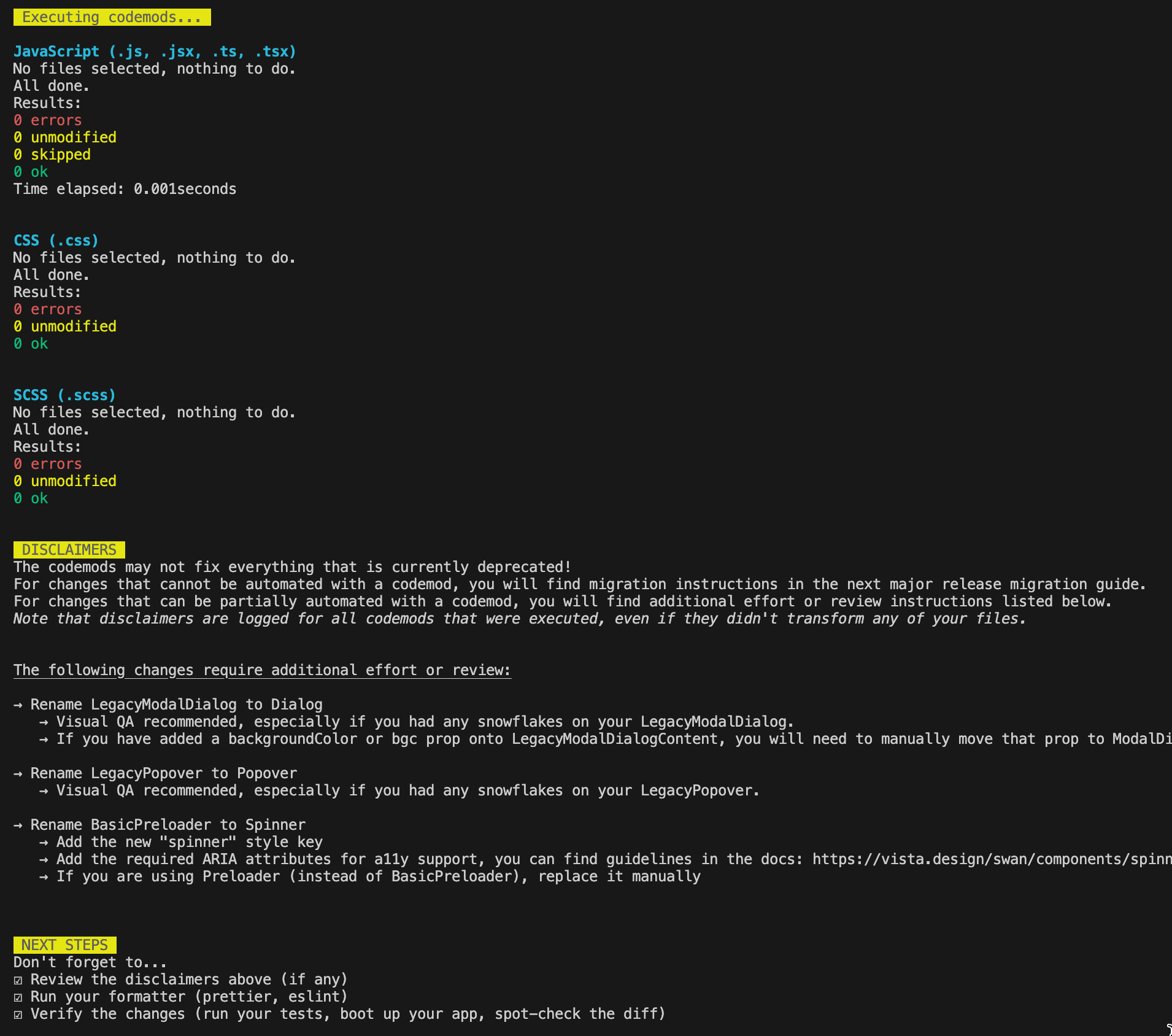
An example of the CLI terminal output including results, disclaimers, and next steps.
Review the disclaimers
The codemods may not fix everything that is currently deprecated. For changes that cannot be automated with a codemod, you will find migration instructions in the next major release migration guide. For changes that can be partially automated with a codemod, you will find additional effort or review instructions listed in the "Disclaimers" section of the output. Note that disclaimers are logged for all codemods that were executed, even if they didn't transform any of your files.
Run your formatter
Be sure to run your own formatter (i.e. prettier, eslint). The codemod library we use will apply its own formatting against your transformed files, and they will be ugly 🙂
Verify the changes
Verify that the changes made by the codemods are accurate, extensive, and produced zero regressions by running your test suite, booting up your application, performing visual QA, and spot-checking the diff. Keep in mind that the codemod library cannot anticipate every use case, so look closely for things it may have missed!
